
In today’s digital landscape, data-driven decisions separate thriving businesses from the pack. Tracking with Google Analytics empowers marketers to decode user behavior, optimize campaigns, and boost ROI. This powerful tool, now evolved into Google Analytics 4 (GA4), goes beyond basic page views to capture events, conversions, and real-time interactions across websites, apps, and e-commerce platforms.
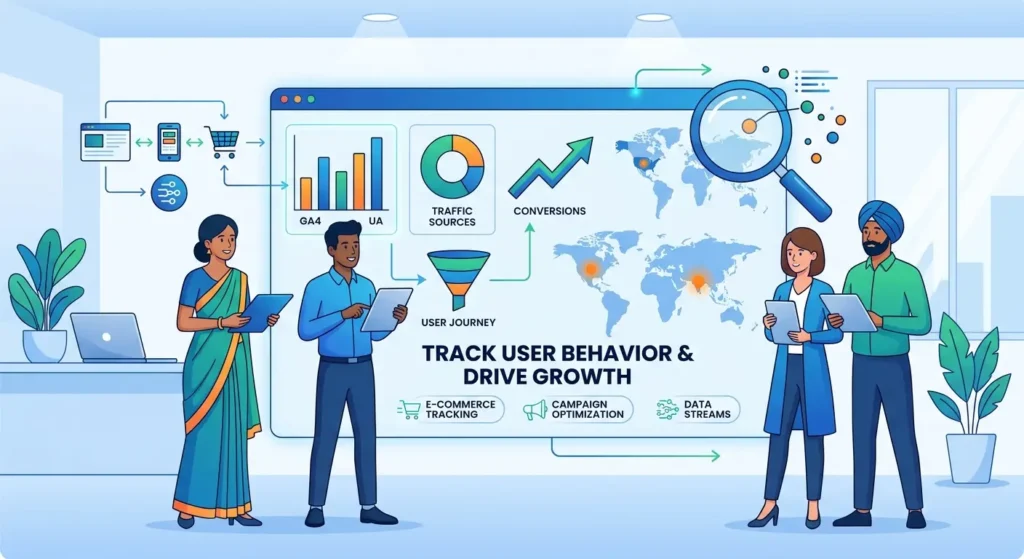
Google Analytics tracking means embedding code to monitor user journeys, from initial visits to purchases. GA4 introduces data streams for unified web and app insights, replacing Universal Analytics (UA) with enhanced privacy features like consent mode and predictive metrics. Whether you’re running a global e-commerce site or a local service in Kerala, accurate tracking reveals bounce rates, session duration, and attribution models that inform strategy.
This guide dives deep into mastering Google Analytics. You’ll learn setup basics, core methods, e-commerce tracking, advanced techniques, and analysis tools. By the end, you’ll implement tracking that drives measurable growth, tailored for universal strategies and location-specific needs like US foot traffic or Indian online sales.
Setting Up Google Analytics for Success
Establishing Google Analytics starts with creating a property tailored to your needs. GA4 properties support multiple data streams for websites and apps, ensuring seamless tracking. Migrate from UA by exporting historical data and setting up a new GA4 property to avoid disruptions.
Access the Admin panel to generate a measurement ID, then add the gtag.js snippet to your site’s header. For WordPress users, plugins like Google Site Kit simplify integration. This foundation enables tracking user engagement from day one.
- Step 1: Sign into Google Analytics and click “Start measuring” to create an account and property.
- Step 2: Choose web or app stream; enter URL, stream name, and enable enhanced measurement for automatic page views and scrolls.
- Step 3: Copy the tracking code (gtag.js) and paste it into your site’s <head> tag.
- Step 4: Verify setup using GA4’s Real-time report—visit your site and watch events populate.
- Step 5: For global businesses, link to Google Tag Manager for centralized code management.
- Best practice: Enable Google signals for cross-device tracking while respecting privacy laws like GDPR.
Location-specific setup shines for GEO optimization. Indian e-commerce sites track regional traffic via custom dimensions for states like Kerala, while US local services integrate Google Business Profile links for foot traffic attribution.
Core Tracking Methods in GA4
Core tracking captures essential user behavior like page views, events, and custom dimensions. GA4 automatically tracks page views and scrolls, but custom events reveal deeper insights into interactions such as button clicks or form submissions. Use gtag.js to fire events: gtag(‘event’, ‘action_name’, {‘parameter’: ‘value’}).
Custom dimensions and metrics segment data for precise analysis, like tracking user types or content categories. These feed into funnel analysis and cohort reports, helping reduce bounce rates and extend session duration.
- Track page views: Enable under data stream settings—no code needed.
- Set up events: Use gtag(‘event’, ‘generate_lead’) for form submits.
- Define custom dimensions: Admin > Custom definitions > Create custom dimension (e.g., “user_location”).
- Implement user properties: gtag(‘set’, ‘user_properties’, {region: ‘Kerala’}).
- Monitor sessions: Track session_start events for multi-page journeys.
- Key feature: User-ID for cross-device continuity in global apps.
- Best practice: Limit custom events to 500 per property to avoid sampling.
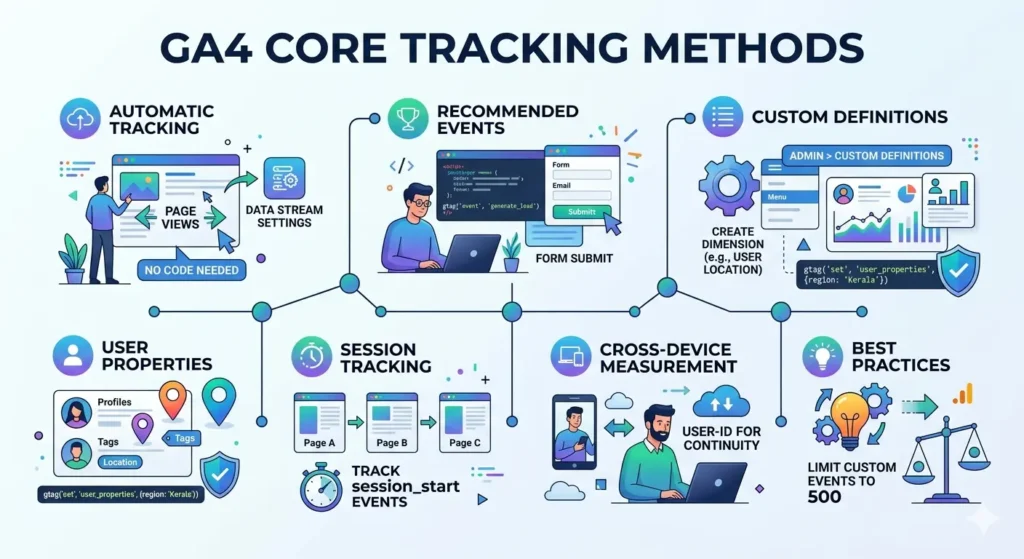
These methods build topical authority by interlinking events with reports, answering “how to track with Google Analytics” directly.
E-Commerce and Conversion Tracking Essentials
E-commerce tracking in GA4 monitors the full purchase funnel, from add-to-cart to transactions. Enable enhanced e-commerce via Google Tag Manager or gtag.js to capture revenue, items, and tax data. Conversions, like purchases or sign-ups, define goals that tie to attribution models.
For Indian online stores, track location-based conversions such as Kerala-specific promotions. US e-commerce leverages this for state-level sales funnels, optimizing for holidays like Black Friday.
- Step 1: Admin > Data streams > Enhanced measurement > Toggle e-commerce on.
- Step 2: Add purchase event: gtag(‘event’, ‘purchase’, {transaction_id: ‘T123’, value: 99.99, currency: ‘INR’}).
- Step 3: Set up conversions: Admin > Conversions > Mark key events like ‘purchase’.
- Step 4: Use recommended events: view_item, add_to_cart, begin_checkout.
- Step 5: Integrate with Shopify or WooCommerce via plugins for automatic tagging.
- Best practice: Exclude internal traffic to clean data for accurate ROI.
This setup answers searcher intent for “Google Analytics e-commerce setup guide,” enhancing AEO.
Advanced Tracking Techniques for Pros
Advanced tracking elevates GA4 with UTM parameters for campaign attribution, cross-domain tracking for multi-site journeys, and app + web properties for omnichannel insights. UTM tags on links (e.g., ?utm_source=newsletter) dissect traffic sources precisely.
Cross-domain suits global businesses linking from .com to regional sites like .in for India. App + web unifies mobile and desktop data, vital for Flutter or React Native apps.
- Build UTM: Use Google’s Campaign URL Builder for source, medium, campaign.
- Cross-domain: Admin > Data streams > Configure tags > Add domains (e.g., example.com, example.in).
- App + web: Create Firebase-linked property for iOS/Android + web.
- Consent mode: gtag(‘consent’, ‘default’, {ad_storage: ‘denied’}) for privacy.
- Custom audiences: Export to Google Ads for remarketing.
- GEO example: Track US local services with location events from Google Maps embeds.
- Best practice: Test in DebugView before launch (GA4 migration guide).
These techniques interlink with core methods, building comprehensive tracking authority.
Analysis, Reporting, and Optimization Insights
GA4’s analysis tools include segments for user filtering, Explorations for custom queries, and BigQuery integration for raw data exports. Segments isolate Kerala traffic for GEO analysis, revealing local search trends. Explorations visualize funnels, while predictive metrics forecast churn.
BigQuery handles massive datasets for global e-commerce, enabling SQL-based cohort reports. Attribution models like data-driven assign credit accurately.
- Create segments: Reports > Explorations > Add segment (e.g., “India users”).
- Build funnels: Explorations > Funnel analysis for drop-offs.
- Link BigQuery: Admin > BigQuery linking (free for <1M events/month).
- Use real-time reports: Monitor live sessions globally.
- Common pitfalls: Avoid over-segmenting; check for data thresholds.
- Optimization tip: Set alerts for traffic drops or high bounce rates.
- AEO focus: Regularly review internal GA4 reports guide for updates.
Pair with Google Business Profile for local US tracking, like service inquiries.
Avoiding Pitfalls and GEO/AEO Optimization
Steer clear of pitfalls like unverified code or ignoring sampling in large datasets. Optimize for AEO by answering “best tracking methods” through structured events and reports. GEO shines with location parameters, tracking e-commerce surges in India or US service leads.
Integrate with Google Tag Manager for scalable tags, ensuring consent mode compliance worldwide.
- Verify with DebugView: Toggle on for tag firing checks.
- Fix duplicates: Use single gtag.js instance per page.
- GEO strategy: Custom event for ‘store_visit’ via location APIs.
- AEO tip: Optimize for voice search queries like “track conversions Google Analytics.”
- Update for GA4: Sunset UA by July 2023—migrate now (GA4 migration guide).
- Monitor privacy: Enable IP anonymization.
These steps future-proof your setup.
Conclusion
Mastering tracking with Google Analytics empowers digital marketers to convert raw data into actionable insights. From GA4 setup and core events to e-commerce funnels, advanced UTMs, and BigQuery analysis, these strategies deliver universal power with GEO tweaks for markets like India or the US. Implement today: verify your measurement ID, test events in real-time, and explore segments for quick wins.
Stay ahead with GA4 updates—enable predictive metrics and consent mode for privacy-first tracking. Drive ROI by linking to Google Ads and monitoring dashboards weekly. Ready to elevate your digital marketing? Dive into your GA4 property now and watch user behavior unlock growth opportunities.